Tomb Raider III
by OldGamesCracking
Game Specs
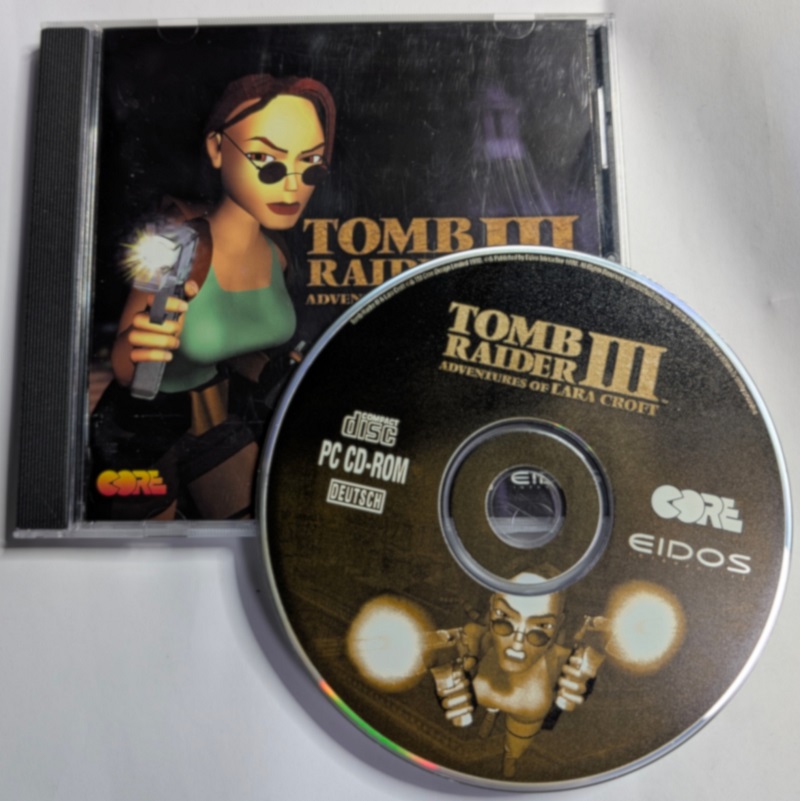
| Name | Tomb Raider III: Adventures of Lara Croft |
|---|---|
| Release-Date | 11/1998 |
| Redump ID | 34982 |
| Protection | CD Lock |
| Cracked under | Win 10 |
| Tested under | Win 10 |
| Scene-Crack by | DVNiSO |
Needed Tools:
- x32dbg
- The original Game-CD of course ;)
- 5 minutes of your free time
Disclaimer
- The games are cracked for educational purpose and to regain compatibility with modern systems
- The games are more than 20 years old and can be found freely on the net via e.g. archive.org
- No parts of the game are distributed
Intro
It’s nice to see that this game still installs and runs on a fairly modern PC, although it’s nearly 30 years old. The only thing you need to do is enable the compatibility mode for Win98. Also there is a Sound-Bug that loops the fist second of some of the audio files (menu-music etc.) in an infinite loop. But as far as I can tell this bug was introduced way back when the game was released and has nothing to do with modern PCs, just get the patch that was published shortly after the game’s release and start cracking from there.
How to crack
Open the game in x64dbg and start it without having the CD inserted. After a few seconds we get a nice nagscreen:
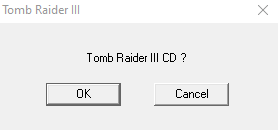
Now, use the classic trick of pausing the debugger, then pressing “Run to user code” and finally click the OK button. You should break right after the call to DialogBoxParamA. Step out of the routine and have a look around.
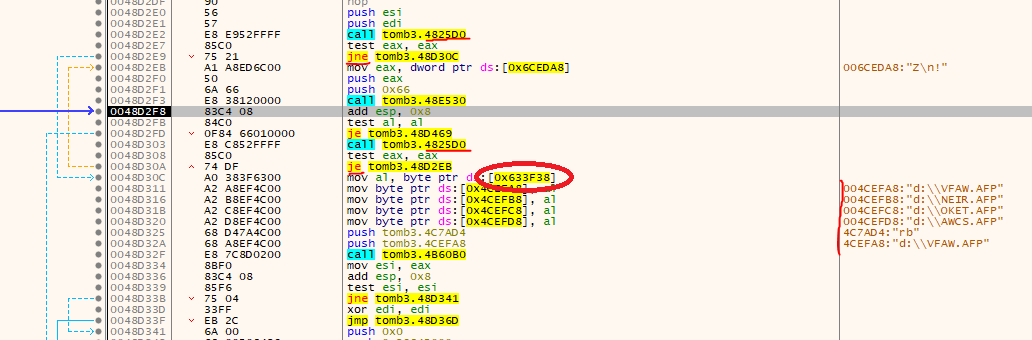
This is a super simple routine that one can simply blackbox without even trying understand much of it. The routine at 0x004825D0 simply checks for the presence of a CD(-Drive) and the routine at 0x0048e530 contains our nagscreen. So for a short test, make one of the marked JNE / JE jump and have a short look at what the game does next. It tries to open the files VFAW.AFP, NEIR.AFP, OKET.AFP and AWCS.AFP from the next drive that would come after your last drive (if your last drive is D:, it would try to load the files from E:). The drive letter is loaded from address 0x00633F38 (also marked in the image). If you have a look at the mentioned files on the disc, you will realizte that they have been altered in such a way that they have a very large size, at least that’s what Windows thinks. This is the ‘copy protection’ as many programs back in the days would refuse to copy the CD as the total size would be larger than a single CD could hold.
If you step ‘til the end of the function, you will realize that it will either return 1 or 0, depending on the fact that a CD was inserted and it could open the previously mentioned files or not. So at that point it should be clear that we need at least a good old MOV AL, 1, RET patch.
If you try to run the game with just that patch now, it will start, but after a short second it will display the following message which already hints at what we need to do next:
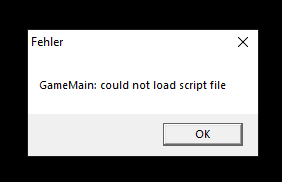
If you have a look in the install-dir now, it’s obvious that nearly all game-files were left on the CD. So as a first measure, copy all folders (audio, cuts, data, …) to the install-dir. Now we need to think of a way to force Windows to load the files locally. For most games this can be done by replacing the drive letter (and the preceeding colon) with a simple dot (.). This game is no exception to that trick. Just have a look at the strings in the binary or put a breakpoint on CreateFileA/W and try to find the place where the paths to the files are constructed. Soon you should land here:
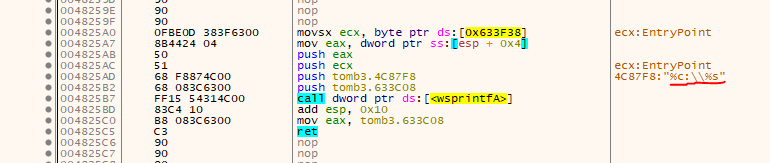
This is actually super nice. Instead of hard-coding the path to the files, they use printf to generate the path on the fly. Also the previously seen address of 0x00633F38 is seen.
So just patch the format-string to “%c\%s” and apply the following patch at 0x0048D2E0 to write a dot instead of the drive-letter:
mov al, 1
mov byte ptr ds:[0x00633F38], 0x2E
ret
If you prefer a x64dbg patch-file, you can use:
0008D2E0:56->B0
0008D2E1:57->01
0008D2E2:E8->C3
0008D2E9:75->2E
000C87FA:3A->25
000C87FB:5C->73
000C87FC:25->00
(Patches are for the version with the sound-patch, CRC: 14BD1751)
tags: Tomb Raider III - Game Cracking - Reverse Engineering - CD Lock