Colin McRae Rally
by OldGamesCracking
Game Specs
| Name | Colin McRae Rally |
|---|---|
| Release-Date | 10/1998 |
| Redump ID | 31914 |
| Protection | DiscGuard v1.0.0.117 |
| Cracked under | Win 98 |
| Tested under | Win 10 |
| Scene-Crack by | ??? |
Needed Tools:
- Win98 VM
- OllyDbg v1.10 + OllyDump v3.00.110 Plugin
- Windows 98 USB Storage Driver
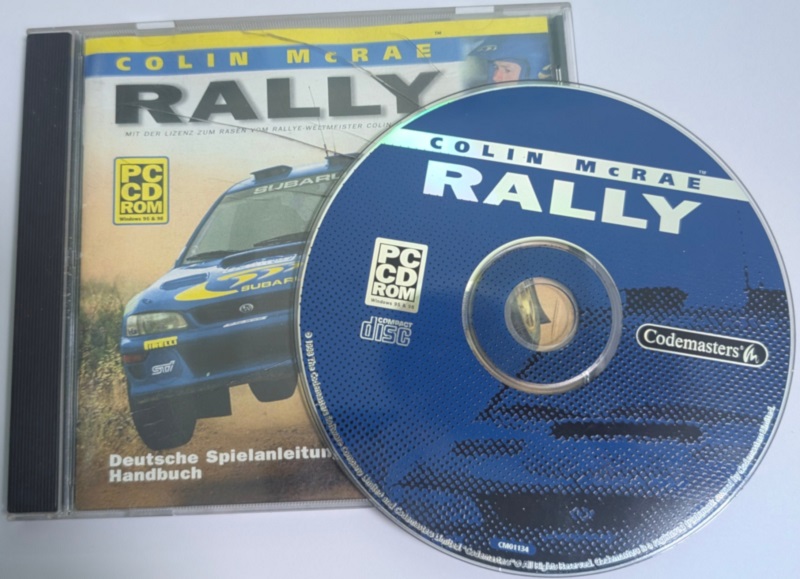
- The original Game-CD of course ;)
Disclaimer
- The games are cracked for educational purpose and to regain compatibility with modern systems
- The games are more than 20 years old and can be found freely on the net via e.g. archive.org
- No parts of the game are distributed
Setup
Cracking this game is rather simple, but it needs quite some setup. It will not run under Win10 or WinXP (VM), the ‘latest’ Windows version that will let the game run is Win98, but my desktop PC was unable to properly emulate a Win98 system, so I installed VirtualBox on my laptop and got this image up and running without a problem.
In order to get files from and to the Virtual Machine, I suggest installing the Windows 98 USB Storage Driver so you can use a USB drive. To initially get the driver to the VM, you can burn an ISO image (e.g. with ImgBurn) and mount that image to the VM.
The last thing that needs to be resolved is the fact that even older versions of x64dbg will only run on WinXP and newer. Luckily good old OllyDbg works like a charm on Win98, you only need a dumping plugin in order to dump the game back to disc. I suggest OllyDump v3.00.110. Version 2 of OllyDbg has Unicode support which is problematic on Win98. There exist some dlls that you can load in order to make it run, but I always got an Access Violation somewhere, so I stopped bothereing and stuck with version 1.10 which is good enough.
With that out of the way, let’s dive into the action:
How to Crack
If you inspect the install folder of the game, you will see that it consist of two EXEs. One called “game.exe” and one “rally.exe”. The game.exe is just there to play the intro, so we can ignore that and focus on rally.exe.
The main reason why we need a Win98 system is (probably) because some drivers won’t work properly on newer systems, but luckily the driver is loaded at a later stage of the game, so if you like, you can start reversing on a newer system and have a first look around and switch to Win98 for the final dumping process.
The very first line of the code already hints to us that the executeable is either encrypted or mangled in some other way:
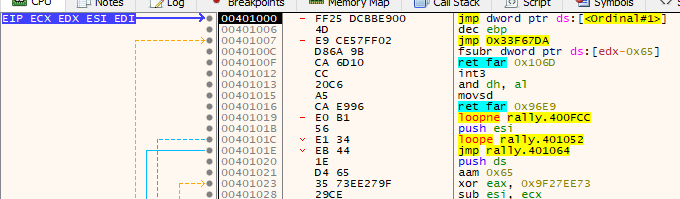
There is only a jump to some function in the T29.dll and the rest is invalid code.
If we step into the function, after a few moments of poking around, we will come to the conclusion, that the last call (cd_check) leads to to code that is initially encrypted. The first call (decrypt_cd_check) will decrypt that code. Make sure to place no (software-)breakpoints as this can break the decryption.
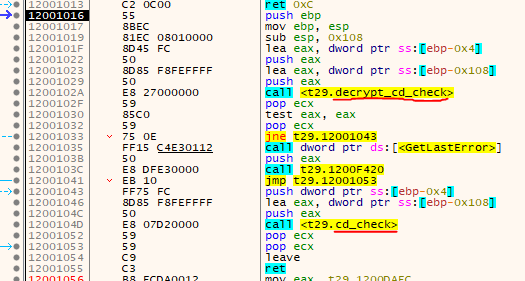
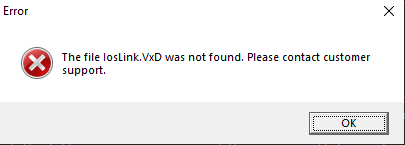
If you step over the CALL to cd_check you will likely get the following error message and the program will terminate (if you aren’t running on Win98):
So let’s step into cd_check and hit F8 a few times until you land here:
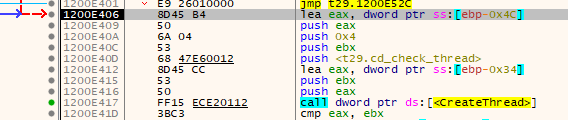
A thread is created that does the heavy lifting of verifying the CD and decrypting the game code. The main thread just waits for the thread to finish:
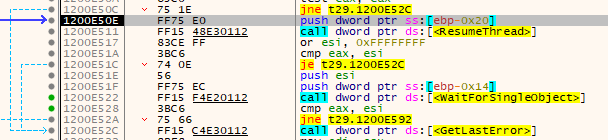
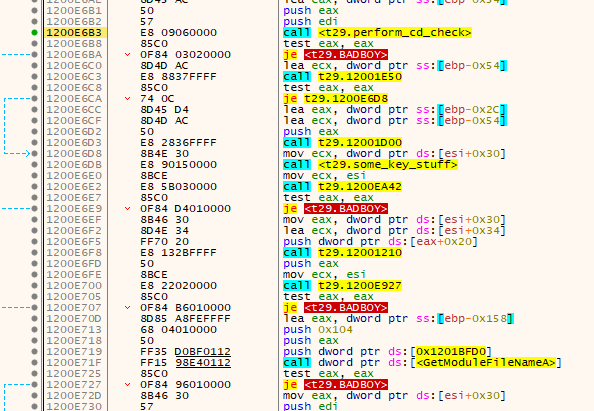
Short note: It is possible to manually step through the thread and change the flags (if needed) so that it will never jump to the badboy.
By this, the thread will end properly and we can make it to the OEP jump:
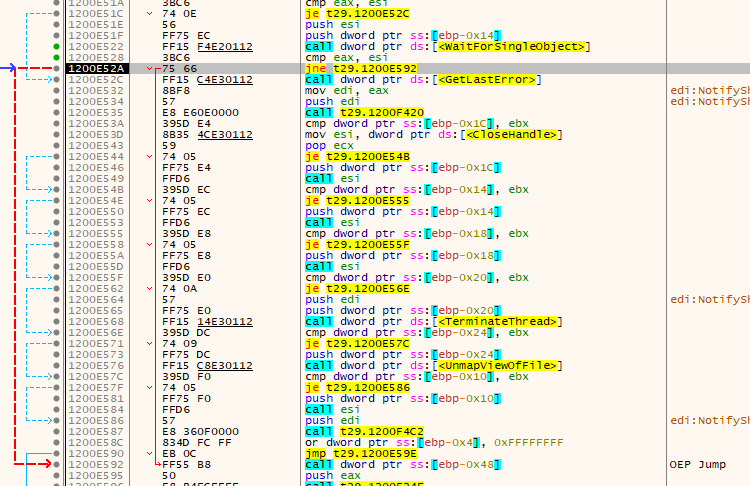
Sadly, the game is not decrypted properly as the key was not derived from the CD (due to the broken driver). But now we know where to look and can start OllyDbg in the Win98 VM…
But after a few minutes of playing around, I realized a few things:
- First, setting a software-breakpoint somewhere in the code leads to an improperly decrypted game
- Second, as far as I can tell, Win98 does not support Hardware Breakpoints (at least not on a process level)
- Stepping through code in system modules (Kernel32 etc.) or placing a breakpoint there is not possible, at least I was unable to do it in vanilla OllyDbg
So, how can we deal with that? We need to wait for the CD-Check-thread to finish, but we can not place a software-breakpoint after WaitForSingleObject, a HW-breakpoint is also not possible.
First, I tried to use the “Break on thread end” event, but that made the program stop somewhere random as the event that the main thread is waiting for (via WaitForSingleObject) is set a bit before the thread ends. After a few minutes of trying different things, I realized, that the CALL to WaitForSingleObject does not immedeately land in the function but is routed through a little stub/thunk:

This stub - in contrast - can be altered without a problem. So I patched an infinite loop there and waited for the thread to end. Nicely (if you have that event ticked on), Olly breaks in the infinite loop once the thread has ended.

Via rightclick -> “New origin here” we can jump past the infinite loop and return zero.
Just three more single steps and we land on the OEP:
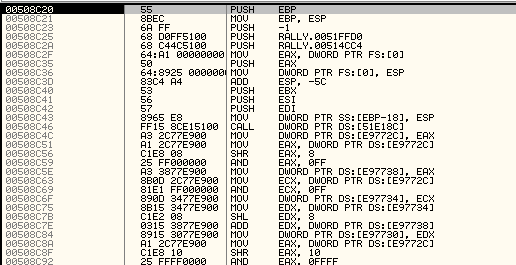
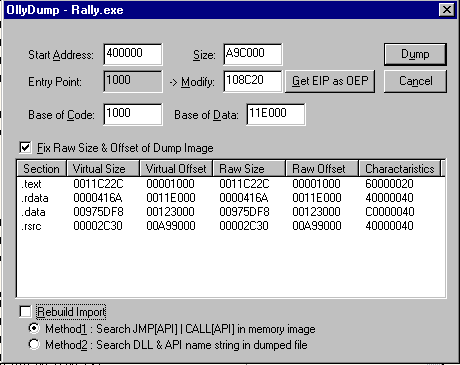
Via the OllyDump Plugin we can dump the game, just make sure to untick “Rebuild Import” as the game uses the original IAT and nothing needs to be rebuild.
The dumped game runs flawlessly on my Win10 machine ;)
tags: Colin McRae Rally - Game Cracking - Reverse Engineering - DiscGuard